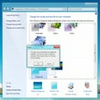
Refresh your desktop with a Vista-style interface, enhanced start menu, and handy configurable widgets
Refresh your desktop with a Vista-style interface, enhanced start menu, and handy configurable widgets
Vote (59 votes)
Program license Free
Developer OrdinarySoft
Version 3.11
Works under Windows
Vote
(59 votes)
Developer
OrdinarySoft
Works under
Windows
Program license
Free
Version
3.11
Pros
- Faithfully replicates the Windows Vista interface on XP
- Flexible installation with component selection
- Enhances functionality with an improved Start Menu
- Includes useful Yahoo! Widgets
- Simple uninstall process restores original settings
- Minimal impact on system performance
Cons
- Purely cosmetic; no underlying Vista security or features
- Widget functionality depends on continued Yahoo! support
- May not satisfy users seeking a true OS upgrade
- Minor bugs may occur on certain system setups
Brings the Windows Vista look and feel to any Windows XP desktop.
Modernize Your Windows XP Experience
Transform XP to Vista is a customization tool designed for users who wish to refresh the visual style of their Windows XP computers with the contemporary appearance of Windows Vista. The package effectively updates the desktop environment, graphical elements, and some core applications, helping users enjoy a modernized interface without leaving behind the reliability and compatibility of Windows XP.
User Interface Enhancements
The software completely overhauls the default XP desktop, infusing it with Vista-inspired themes and icon sets. The centerpiece of the transformation is the upgraded Start Menu, which not only adopts the glossy visuals of Vista but also introduces improved organization and accessibility features. Changes extend to window borders, taskbar, and system icons, providing a consistent and cohesive Vista-like appearance throughout the XP interface.
Integrated Applications and Tools
Transform XP to Vista goes beyond mere aesthetics by bundling useful utilities to mirror the Vista experience. Notably, the package includes an enhanced Start Menu with improved search capabilities and quick access to frequently used tools, features that bring tangible improvements in daily usage. Additionally, the integration of Yahoo! Widgets delivers a suite of customizable mini-applications, ranging from practical tools such as system monitors and weather updates to entertainment widgets like games and news tickers.
Installation and Customization
Installation is straightforward, offering flexibility for users to select specific components. This modular approach allows users to opt for only the desktop theme, just the widgets, or a full transformation. The process is intuitive and reversible, so users can return to the original XP look if desired. Uninstalling the software restores prior settings without negative impact, reducing the risk of incompatibility or lingering changes.
Performance and Compatibility
Careful optimization ensures that Transform XP to Vista runs smoothly on most XP systems with minimal resource consumption. The software avoids the performance drawbacks often associated with full-featured transformation packs. It maintains XP’s renowned compatibility with legacy applications and hardware, making it a practical choice for those who need to retain older software support while enjoying a visually updated environment.
Who Should Use Transform XP to Vista?
This software is ideal for users who appreciate the polished visuals of newer Windows editions but do not wish to upgrade due to hardware limitations or software requirements. It provides a cost-effective solution for modernizing XP systems in home, office, or educational environments.
Pros
- Faithfully replicates the Windows Vista interface on XP
- Flexible installation with component selection
- Enhances functionality with an improved Start Menu
- Includes useful Yahoo! Widgets
- Simple uninstall process restores original settings
- Minimal impact on system performance
Cons
- Purely cosmetic; no underlying Vista security or features
- Widget functionality depends on continued Yahoo! support
- May not satisfy users seeking a true OS upgrade
- Minor bugs may occur on certain system setups